
shadowzzh / claude-peek
Manage multiple Claude Code sessions from one terminal UI
README
ccpeek
Claude Code Process Viewer for Terminal
View processes, read sessions, clean up stuck instances
Quick Start • Features • Commands • How It Works • Privacy & Security • FAQ • Troubleshooting • Uninstall • Roadmap
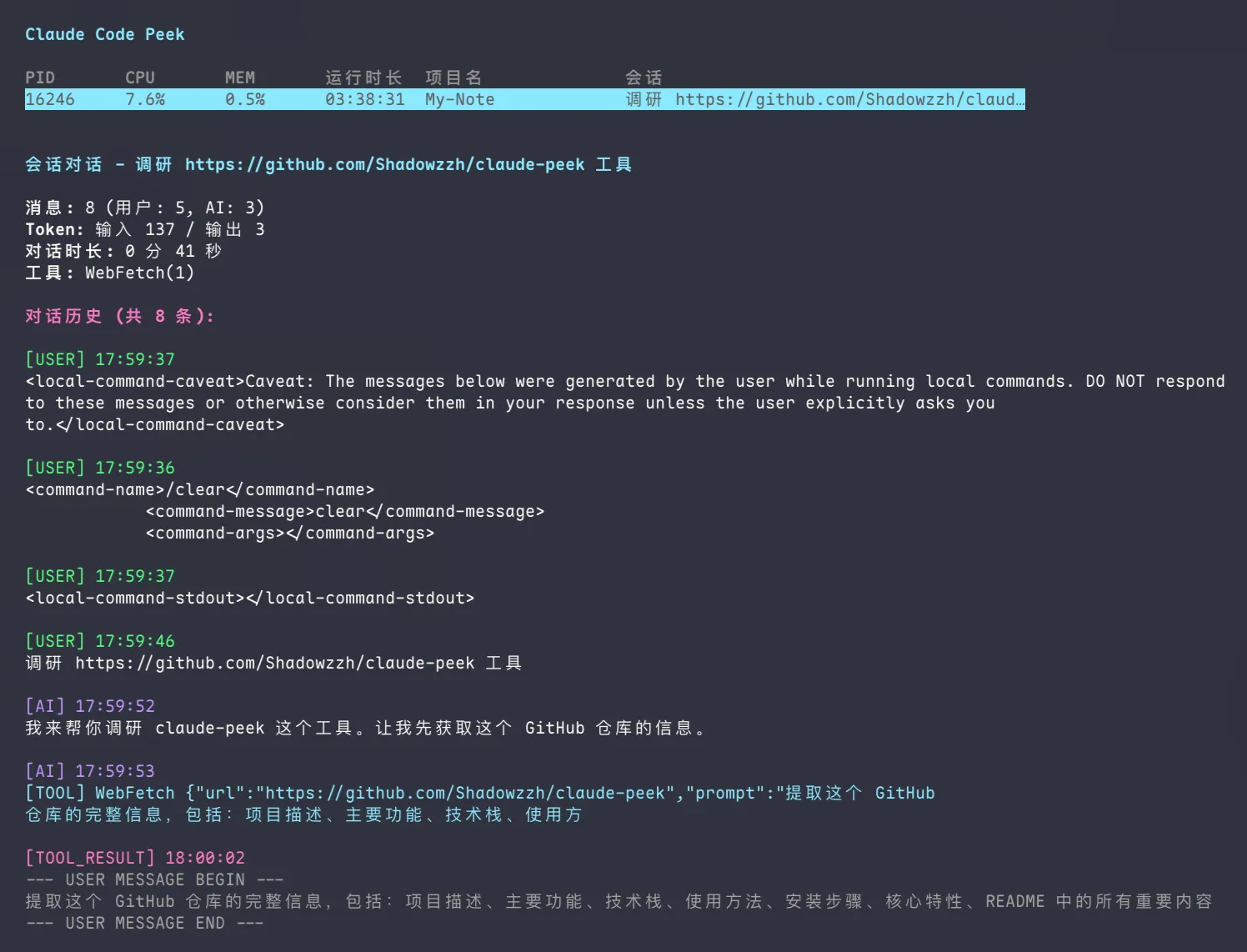
Why ccpeek?
Running multiple Claude Code sessions quickly becomes chaotic.
ps/toponly show PIDs, not what Claude tasks are actually doing- Digging through
~/.claude/projects/is slow and disconnected from live process state - Cleaning up stuck instances is more painful than it should be
ccpeek brings process state, session content, and cleanup into one terminal workflow.
Why not just use ps or manually check ~/.claude?
| Method | Good for | Missing |
|---|---|---|
ps / top |
Viewing running processes | No idea what Claude sessions are actually doing |
Manual ~/.claude inspection |
Reading stored session files | Slow, fragmented, disconnected from live process state |
ccpeek |
Unified process + session + cleanup workflow | Only focused on Claude Code workflow |
Quick Start
npm install -g @zhangziheng/claude-peek
ccpeek setup
ccpeek
Features
- List all Claude Code processes with project paths
- View live session messages in terminal
- Kill stuck instances directly
- Browse history by project after process ends
- Export conversations to Markdown
Commands
Interactive Mode
ccpeekShortcuts:
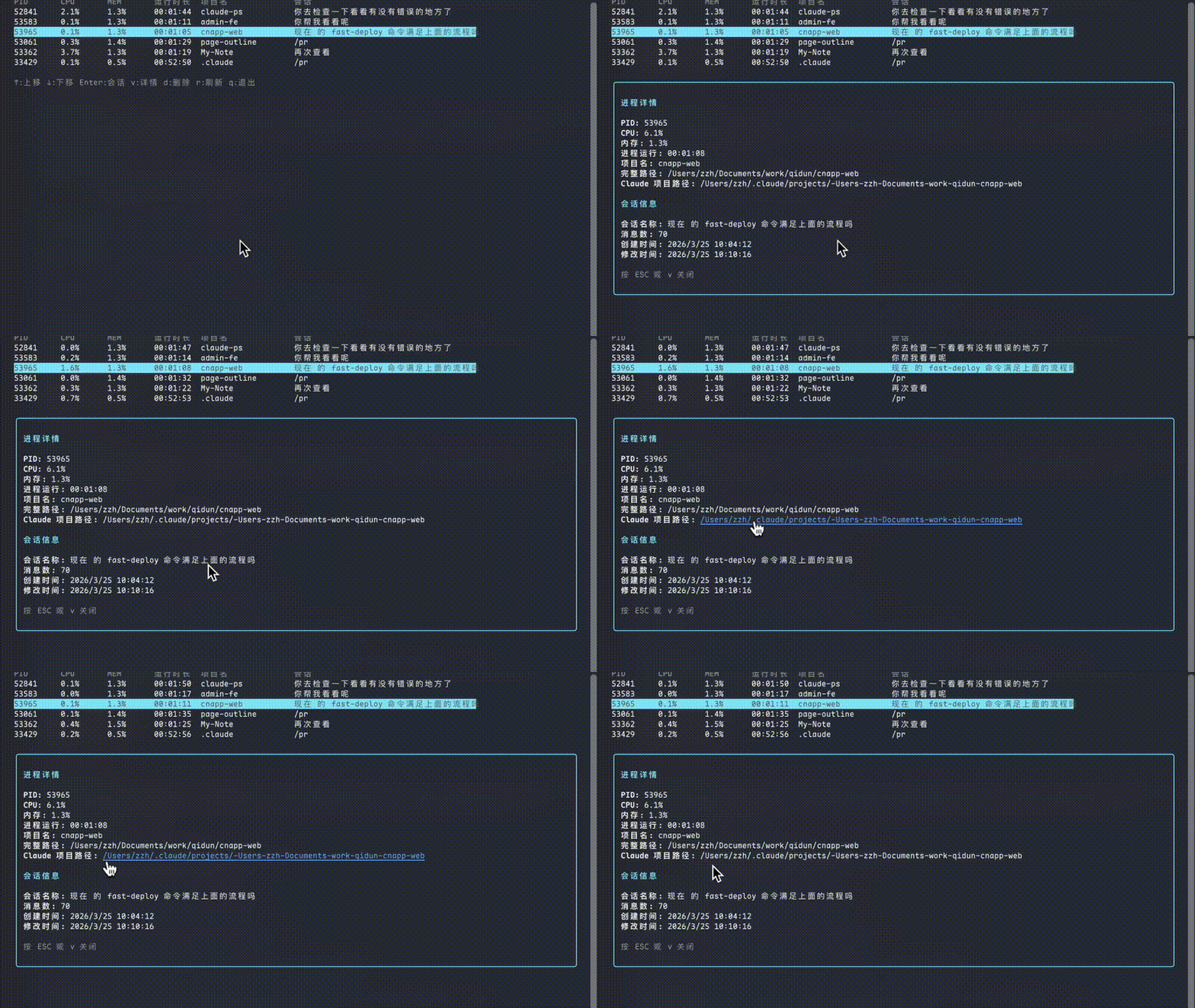
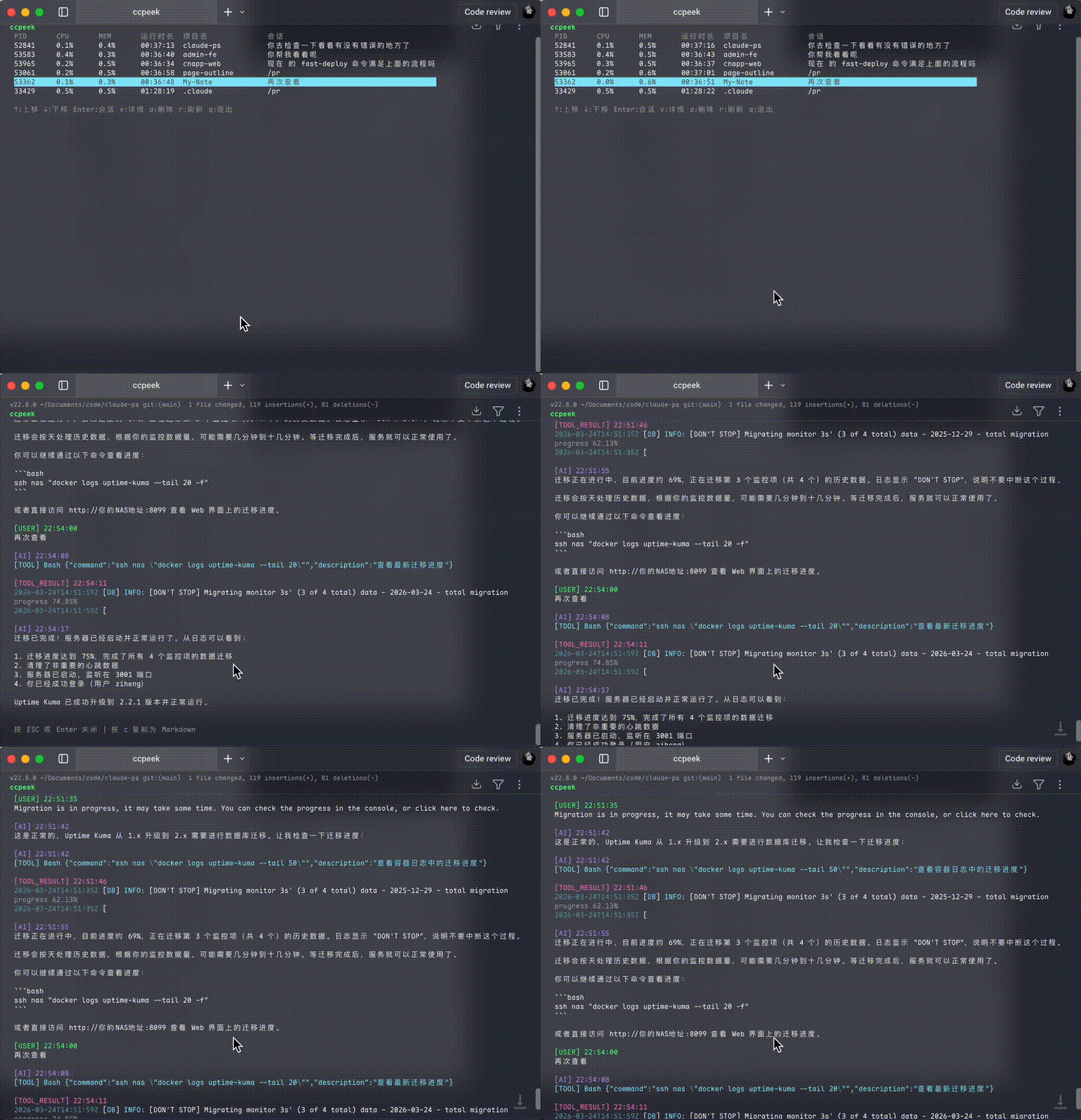
↑/k↓/j- Move up/downEnter- View session messagesv- View process detailsd- Delete processr- Refreshq/Esc- Quit
View process details:
View session messages:
CLI Mode
ccpeek list              # List all processes
ccpeek list --json       # JSON output
ccpeek show <pid>        # View process details
ccpeek messages <pid>    # View session messages
ccpeek kill <pid>        # Kill process
messages supports multiple input methods:
# Method 1: Use PID (running process)
ccpeek messages 12345

# Method 2: Use project path (running or historical session)
ccpeek messages /path/to/project

# Method 3: Specify historical session ID
ccpeek messages /path/to/project abc123-session-id
Output options:
ccpeek messages 12345           # Colored terminal output
ccpeek messages 12345 --md      # Markdown output to stdout
ccpeek messages 12345 --save    # Save to file
ccpeek messages 12345 --copy    # Copy to clipboard
How It Works
ccpeek establishes PID ↔ SessionID mapping via Claude Code hooks, then reads session data from ~/.claude/projects/.
Flow:
- SessionStart hook captures PID and SessionID
- Mapping stored in
~/.claude/ccpeek/session-mappings.jsonl - ccpeek reads process list + mapping + session files
Privacy & Security
[✓] Local only      - Only reads ~/.claude files
[✓] No uploads      - Zero data transmission
[✓] Minimal hooks   - Only records PID/SessionID mapping
[✓] Easy uninstall  - ccpeek uninstall cleans everything
FAQ
Q: Will it modify my Claude Code configuration?
A: Only adds hooks to .claude/hooks/, doesn't touch existing config.
Q: Can I view sessions after process ends?
A: Yes, use ccpeek messages /path/to/project
Q: What if hook installation fails? A: ccpeek can still view existing sessions, just can't track new PIDs.
Q: Can I use it on remote servers? A: Yes, as long as Claude Code runs there.
Troubleshooting
Hook installation fails:
# Check Claude Code directory
ls ~/.claude/hooks/

# Reinstall
ccpeek uninstall
ccpeek setup
Session not found:
# Verify session files exist
ls ~/.claude/projects/

# Check mappings
cat ~/.claude/ccpeek/session-mappings.jsonl
Permission denied:
# Fix permissions
chmod +x ~/.claude/hooks/*.sh
Uninstall
ccpeek uninstall
npm uninstall -g @zhangziheng/claude-peek
Roadmap
- Remote machine support